![]() |
|||||||
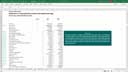
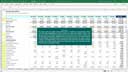
| This unique Excel accounting template is the ideal accounting solution for service based small businesses. The template facilitates recording income, generating tax invoices, recording expenditure, calculating sales tax, accounting for non-cash adjustments (in a general ledger journal format) and automatically produces a detailed trial balance, bank reconciliation, monthly income statement & cash flow report, annual income statement & cash flow report and a monthly balance sheet based on the transactions that are entered by the user. This template is in fact a complete Excel based accounting solution that enables users to record, analyze and manage their business activities in Excel. The template has been designed with flexibility in mind - the default list of accounts can be customized and you can create additional expense accounts if required. The monthly income statement, cash flow report and balance sheet can be compiled for any 12 month period and rolled forward for any subsequent period by simply changing the report start date in a single cell. |
|
||||||
|
|||||||
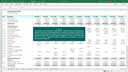
| The trade based Excel accounting template incorporates accounting for inventory, turnover, cost of sales and gross profit percentages into our unique Excel based accounting template design. The template enables users to record income, stock purchases, overheads, monthly inventory balances, non-cash adjustments and automatically calculates sales tax. A monthly & annual income statement, cash flow report and balance sheet are automatically compiled from the transactions that are entered by the user. The only difference between this template and our Service Based Accounting template is that this template includes accounting for inventory, cost of sales and gross profit margins. We strongly recommend using the Trade Based Accounting template in conjunction with our Inventory Control templates. Our Inventory templates can be used to account for individual inventory transactions, while the high level review of margins and inventory balances as well as the accounting for non-inventory items are provided for in the Trade Based accounting template. |
|
||||||
|
|||||||
| This unique personal finance template enables users to record their personal income and expenses from an unlimited number of transaction sources and to automatically generate a monthly personal finance report for any user defined 12 month period. Transactions can be entered or copied from bank account or credit card account statements before allocating the transactions to the appropriate personal finance accounts. The template includes 65 default accounts and you can add an unlimited number of additional accounts. Reporting periods are determined based on a user defined start date and the report can be rolled forward for any subsequent 12 month period by simply changing the start date. The personal finance report can also be filtered in order to display only the income and expenses that are incurred through a particular transaction source. This template is the ideal solution for recording and analyzing household income & expenses. |
|
||||||
|
|||||||
| Excel
Business Valuation
This innovative Excel template can be used to calculate an estimated business
valuation based on a user defined cash flow forecast and a required annual
rate of investment return. The cash flow forecast is automatically calculated
from a number of income, expenses, capital expenditure and financing assumptions.
The estimated business valuation is calculated by discounting the annual
cash flow forecasts by the weighted average cost of capital (WACC). The
template also includes calculations of net present value (NPV) and internal
rate of return (IRR). The NPV is determined by discounting the cash flow
forecasts by the WACC and measuring the discounted cash flows against
the initial required capital outlay. IRR is calculated from the cash flow
forecasts and the initial required capital outlay. This may all sound
quite complicated but we can assure you that the template is actually
very easy to use and adds significant value to the process of determining
the value of a business when you're considering the buying or selling
of a business or if you simply want to calculate the value of your own
business. |
|
||||||
|
|||||||
|
This Excel template enables users to set up and maintain
product costings for virtually any type of manufacturing business. The
template design also facilitates performing what-if cost analysis by simply
entering purchase price estimates for the required bought-in inventory
items. Stock component order requirements can also be determined by simply
entering the required finished product stock quantities for requirements
planning purposes. The template requires that users create unique stock
codes for all bought-in and manufactured inventory items before specifying
the appropriate bills of material for all manufactured products. The bills
of material should include the input quantities and yields of all stock
components that are used in the manufacturing process of all finished
products. Product costings are calculated based on the components that
are included in the bills of material and the purchase prices of inventory
components. The template also includes a gross profit calculation for
both the product costs and the what-if costings. |
|
||||||
|
|||||||
|
This template enables users to create annual cash
flow projections for a five year period. The annual cash flow projections
are calculated automatically based on the turnover, gross profit margins,
overhead expenses, working capital, capital expenditure and initial loan
amount assumptions that are specified by the user. The turnover and expenses
for subsequent years are determined by applying a user defined increase
percentage to the appropriate amounts of the previous year. The template
produces an annual income statement, cash flow report and balance sheet.
The default list of overhead expense accounts can be customized and additional
accounts can be added by simply inserting the appropriate number of rows.
A loan repayment amortization table is also included in the template and
is used to calculate the interest and capital repayment amounts of the
initial loan based on the loan details that are specified as part of the
template assumptions. |
|
||||||
|
|||||||
|
This template enables users to compile monthly cash
flow projections for a 36 month period. The monthly cash flow projections
are calculated automatically based on the monthly turnover, gross profit
margins, expenses, working capital, capital expenditure and loan amounts
that are specified by the user. The reporting periods that are included
in the monthly cash flow projections are determined based on a start date
that is specified by the user. The template automatically produces a monthly
income statement, cash flow report and balance sheet. The default list
of expense accounts can be customized and additional accounts can be added
by simply inserting the appropriate number of rows. A loan repayment amortization
table is also included in the template and is used to calculate the interest
and capital repayment amounts that are associated with the start-up and
additional loans that are specified as part of the template assumptions. |
|
||||||
|
|||||||
|
This template enables users to create a monthly cash
flow forecast for any three year period and to compare the cash flow forecast
to actual account balances. The cash flow forecast is created in exactly
the same way as in the monthly cash flow projection template. Actual income
statement and balance sheet account balances need to be entered by the
user and a unique, innovative management report can then be used to compare
the forecasted and actual account balances on a monthly and year-to-date
basis. The template includes an income statement, cash flow report and
balance sheet for both the cash flow forecast and the actual accounts.
The comparison between the cash flow forecast and the account balances
can be performed by simply selecting the appropriate month from a list
box on the management report sheet. All the management report calculations
are automatically updated. The default expense accounts can be customized
and you can add as many additional expense accounts as required. |
|
||||||
|
|||||||
|
This template enables users to automatically compile
a complete cash flow statement by simply entering basic income statement
and balance sheet information. The template incorporates a current and
comparative financial period and produces a cash flow statement in accordance
with international accounting standards. The template is the ideal solution
for accountants and financial managers and is guaranteed to save users
a lot of time when compiling cash flow statements. The instructions cover
each line item that is included on the cash flow statement and also assists
users in developing an improved understanding of the calculations that
need to be performed in order to compile a cash flow statement. |
|
||||||
|
|||||||
|
This template enables users to compile a cashbook
and bank reconciliation report for the deposits and withdrawals that are
processed through any bank account. The functionality that has been included
in the template focuses on the task of reconciling cashbook transactions
to the entries that are reflected on a bank statement. We recommend that
you refer to our Service Based and Trade Based Accounting templates if
you require a solution that enables you to compile monthly accounts in
Excel. The Cashbook template facilitates performing a bank reconciliation
for any bank account by simply entering or copying all cashbook transactions
onto the Cashbook sheet and entering the appropriate bank statement date
for each cashbook transaction. The bank reconciliation on the Recon sheet
is calculated automatically from the cashbook entries and can easily be
rolled forward for the next monthly period or rolled back to display the
bank reconciliation for any previous period. |
|
||||||
|
|||||||
|
This template enables users to create an automated
tax invoice based on the business details, banking details, customer information
and invoice details that are recorded on the appropriate sheets. The template
also facilitates creating automated customer account statements; reviewing
monthly sales, receipts and debtor balances over any user defined 12 month
period; viewing an age analysis for any individual customer account or
an age analysis for all customer accounts and viewing a detailed customer
account balance report based on any user defined statement date. The template
is suitable for any service based business - refer to the Trade Based
Invoice & Debtors template if you require stock codes to be included
on your tax invoices. Both our invoice templates can be used to create
automated tax invoices & customer statements and to analyze customer
account balances while our unique accounting templates enable users to
also record expenses and to produce monthly management accounts. |
|
||||||
|
|||||||
|
This template enables users to create an automated
tax invoice based on the business details, banking details, customer information,
stock information and invoice details that are recorded on the appropriate
sheets. The template also facilitates creating automated customer account
statements; reviewing monthly sales, receipts and debtor balances over
any user defined 12 month period; viewing an age analysis for any individual
customer account or an age analysis for all customer accounts and viewing
a detailed customer account balance report based on any user defined statement
date. The template is suitable for any trade based business - refer to
the Service Based Invoice & Debtors template if you don't require
the inclusion of stock codes on your tax invoices. Both our invoice templates
can be used to create automated tax invoices & customer statements
and to analyze customer account balances while our accounting templates
enable users to also record expenses and to produce monthly management
accounts. |
|
||||||
|
|||||||
|
This template enables users to compile an age analysis
for any invoice listing that is copied into the template. The Invoices
sheet contains 5 default columns, but users can insert additional columns
and move the default columns in order to change the layout of the sheet.
The age analysis is compiled based on a user defined statement date and
users can include all customer accounts or enter a specific customer account
reference in order to produce an age analysis for a single customer account.
The age analysis calculation can be based on calendar months or the user
can specify a date other than a month end date in order to base the ageing
calculations on a specific day of the month. |
|
||||||
|
|||||||
| Excel
Inventory Control Template - Trade Based
This inventory control template enables users to effectively
control the inventory of any trade based business. The template requires
that users create stock codes and product classes, record stock purchases
and record sales transactions. The same stock codes should be used when
recording purchases and sales - the template is therefore only suitable
for trade based businesses that buy products from suppliers and sell the
same products to their customers. The template also facilitates the recording
of inventory adjustments and includes a physical stock count feature that
can be used to measure the results of physical stock counts against theoretical
stock quantities. Theoretical stock balances are calculated based on the
purchases, sales and stock adjustment transactions that are recorded by
the user and an average cost basis is used for inventory valuation purposes.
Inventory movement totals are calculated by stock code & by product
class and sales, cost of sales and gross profit margins can be analyzed
for any user defined date range. |
|
||||||
|
|||||||
|
The usage based inventory control template is the
ideal solution for any business that produces finished products from a
number of inventory components and would like to measure inventory usage.
The template requires that users create stock codes and product classes,
record inventory purchases, record inventory usage and record daily sales
totals. Inventory usage should be recorded based on inventory reporting
requirements (daily or weekly). Inventory adjustments can also be recorded
and the physical stock count feature can be used to measure physical stock
counts against theoretical inventory quantities. Theoretical stock balances
are calculated based on purchases, usage and stock adjustment transactions
and an average cost basis is used for inventory valuation purposes. Inventory
movement totals are calculated by stock code & by product class and
sales, cost of sales and gross profit margins can be analyzed for any
user defined date range. Cost of sales is defined as the sum of all usage
and adjustment transactions for this purpose. |
|
||||||
|
|||||||
|
This template enables users to perform income tax
calculations based on multiple tax brackets (also referred to as a sliding
income tax scale). The template design incorporates six default tax brackets
but additional tax brackets can be added if required. All the income tax
calculations are automated and user input is limited to defining the appropriate
tax bracket values and income tax percentages. The template also includes
a monthly income tax calculation sheet which is especially useful when
calculating the monthly income tax that should be deducted based on variable
monthly remuneration amounts. |
|
||||||
|
|||||||
|
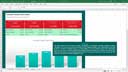
This template enables users to produce a daily and
monthly sales analysis chart by simply entering the appropriate daily
sales data. The daily sales chart includes a 60 day period and the monthly
sales chart includes a 12 month period. The date range that is included
in each chart can be adjusted by simply changing the start date in a single
input cell. The default date cell ranges of 60 days and 12 months respectively
can be changed by following the step by step instructions that are included
in the template. This template can therefore be used to produce a complete
daily and monthly sales analysis for any user defined period. |
|
||||||
|
|||||||
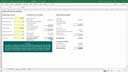
| This comprehensive loan calculation template enables users to calculate loan statements in the same way as most financial institutions. The template is based on monthly loan repayments, daily interest calculations and capitalization of interest on the last day of each calendar month. The template has been designed specifically for loans that are subject to variable interest rates (like home loans), accommodates the recording of ad hoc loan repayments and the recording of interest rate changes on any user defined date. Users are only required to enter the appropriate loan account transactions and to copy the formulas that are used to calculate interest in order to automatically produce a loan account statement. Loan repayment forecasts are automatically calculated for the remaining loan repayment period based on standard and ad hoc loan repayment amortization tables. The forecast totals are then added to the actual loan account statement in order to create an overall loan analysis that includes the entire loan period. |
|
||||||
|
|||||||
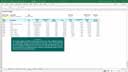
| This template includes unique & comprehensive residential property investment return calculations. User input is limited to entering basic rental income and expense estimates, monthly interest rates, annual inflation rates and estimated annual capital growth rates. The template produces a comprehensive analysis of the projected investment return based on the input values specified by the user. The template includes a monthly amortization table, calculation of the effective annual interest rate, a detailed cash flow table and an investment return summary that includes a number of investment return calculation measurements. Some of the calculations that are included in the investment return summary are: net cash flow, net present value (NPV), internal rate of return (IRR), annual rental yield and annual return on equity. All the template calculations are performed over a fixed period of 10 years. |
|
||||||
|
|||||||
| This free Excel template enables users to calculate their individual or combined monthly net disposable income. User input cells have been grouped into four categories for remuneration, other income, operational expenses (overheads) and financing expenses. Detailed guidance is provided for each input cell. The net disposable income calculation is very useful for personal finance purposes, especially to determine the monthly income that is available for savings or to determine the affordability of a mortgage. | This free Excel template enables users to create a monthly sales forecast for a three year period. By default, the sales forecast includes 5 sales categories for reporting purposes but users can add additional sales categories by simply inserting the required number of rows and copying the existing formulas into the inserted rows. User input is limited to specifying the gross profit percentage, selling price, sales volume, annual sales volume increase percentage and annual sales price increase percentage for each sales category. | ||||||
|
|
|
|||||
| This free Excel template enables users to create a monthly loan amortization table for any loan period up to 30 years. User input is limited to entering the loan principle amount, loan period, starting date of the loan, the loan repayment type and the appropriate monthly interest rates (to accommodate variable interest rates). Any loan review date can then be specified in order to display the total loan repayments, interest paid and capital repaid on a cumulative, year to date, next 12 months and entire loan period basis. | This free Excel based home loan calculator is also known as a bond calculator or mortgage calculator. The template includes a comprehensive set of home loan calculations such as monthly repayments, increased installment savings, home loan affordability, interest rate sensitivity and also includes a monthly and an annual amortization table. Also included are an increased installment savings chart and a capital repayment chart. The latter is especially useful in providing a visual analysis of capital repayment over the entire loan period. | ||||||
|
|
|
|||||
| 2010 © Excel-Skills.com. All rights reserved. | Privacy Policy | Submit Feedback | |||||||